

I have a few issues with steam and steam games.
I’ll start with my laptop’s specs:
Acer-Aspire-E5-722G
- Operating system : Kubuntu 26.04
- Kernel: 7.0.0-29 generic
- CPU: AMD A8-7410 APU with 4 cores
- Memory : 6.72GB DDR3 (supposed to be 8)
- Storage: WD HDD with 931.51GB
- Graphics device 1 : AMD Radeon™ R5 M335
- Graphics device 2 : AMD Radeon™ R5 Graphics (iGPU)
Issue 1: I have installed steam and it ran once but now it crashes if i try to open it (I can share the crash logs) and it works fine if I run it in terminal (I just type steam in Konsole and hit enter).
Issue 2: I installed Car Mechanic Simulator 2018 on my laptop and I ran it once and I had to turn the settings way down for decent frames but I got it playable, when I try to open it it doesn’t crash it just take forever (I waited foor 20 minutes and it didn’t open). Here is what I have tried:
-
I switched Poton version form experimental to the latest stable version (9.0-4)
-
I added
to CSM 18 launch options settings in steam
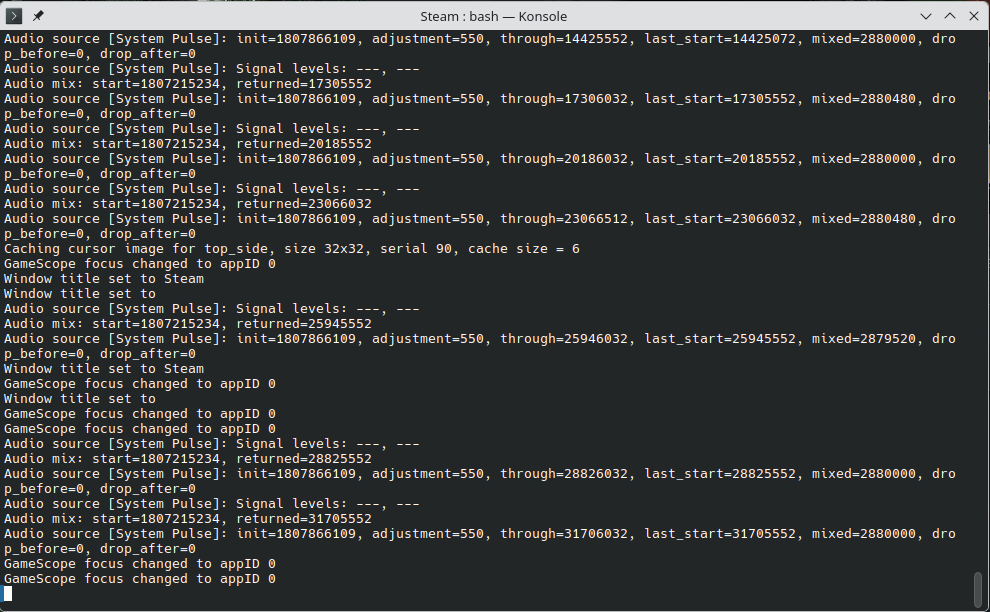
Here is a picture of where it gets stuck
Issue 3 (I don’t know if this one is solvable): I used to have Windows 10 on this laptop and I could play American Truck Simulator on it with low settings, but on Kubuntu it doesn’t launch.
Thanks in advance.
If you need more information just ask and i’ll try to provide it.
UPDATE: All of the issues have been solved (mostly)
Issue 1: I disabled “GPU acceleration” and “smooth scrolling in web views”
Issue 2: I used this fix from ProtonDB: Set launch options to PROTON_USE_WINED3D=1 %command%
Issue 3: I used this fix from ProtonDB: Set launch options to PROTON_USE_WINED3D=1 %command% however my laptop doesn’t have enough RAM and steam was closed by the kernel
You must log in or register to comment.
As other replies told you, trying another distro to check will probably be the fastest way to solve the problem. I don’t think many people have experience with Kubuntu.
If you don’t want to change distros, you could try the flatpak version, it has their own package of drivers, and runs in a different runtime.
Just know that the flatpak of steam is not official but a community project. I had used it before without problems but i like to be clear about it.
Why Kubuntu? Can you try something like Bazzite and see if your experience differs?
The solution to an issue someone is facing isn’t to immediately switch the entire OS
I would agree pretty much with you, but OP posted this 13 hours ago. In ten hours only one person replied and only had a similiar issue about one of the points.
Kubuntu is no a popular distro of choice within the gaming space so i doubt it will easy to find someone who can help to troubleshoot their problem. Also i think i read somewhere that Ubuntu had some problems with 32 bit libraries. I may be wrong tho.
As i replied on another comment, changing distro will probably be the fastest way to solve or at least diagnostic the problem. It’s probably extreme but better than nothing. I would also try the flatpak version first.
Not sure why everyone is recommending you hop distros to fix these issues. Distro choice (at least among the more popular distros) rarely has any affect on gaming performance, it’s usually whatever version of proton you’re using that’s more likely to affect performance when playing a game.
Starting with issue 1:
As someone else said, enabling GPU acceleration is likely to fix this issue. I had the same issue before and pretty sure this fixed it. You may also want to enable “smooth scrolling in web views” as well (it should be right next to the GPU acceleration option).
Issue 2:
- This could be related to issue 1 and may be fixed when you resolve it. Still recommend you read the rest of the suggestions for this issue, it may help in the future.
- Try changing which version of proton you’re using. I recommend starting with a more recent version such as 11.0. Stable does not always mean it will run better.
- You can also try Proton-GE. It’s a community made version that has some additional features and fixes, most notably some video codex valve doesn’t include for licensing reasons. It MAY work better, it may not. I usually keep the latest version installed myself so I can try it if a game is having trouble, even if I’m not actively using it. Easiest way to install this is through a program called “ProtonUp-QT” just note you may need to restart steam to see any new versions of proton you’ve installed. ProtonUp-QT is only available as a flatpak or appimage on Ubuntu it looks like.
Not specific to fixing this issue, but you can change which version of proton all steam games use by default in steam settings, under compatibility. Changing this requires you restart steam.
Issue 3:
- If you are dual-booting, make sure that all games are installed on a partition formatted for Linux, NOT WINDOWS. Games sometimes run fine from drives/partitions not formatted for Linux, but most of the time do not work. Found this out the hard way myself.
- From a few quick google searches, American Truck Simulator appears to have a native Linux version. If you are using a dual-boot and/or just copied the download from windows, verify the integrity of the files. If that does not work you can always try running the windows version by checking the “Force the use of a specific Steam Play compatibility tool” under compatibility, then select a proton version. It won’t perform as well but it’s better than it not working. Usually when you do this the game will queue an update to install the windows specific files. If you uncheck the box it will queue another update to reinstall the Linux native files.
ill add to the recommendation for bazzite. steam is on it out of the box so you don’t need to install or setup.


